One Dashboard. Every PC.
Monitor, manage, and protect your entire fleet from a single pane of glass. Real-time insights, AI-powered alerts, and remote control — built for IT teams.
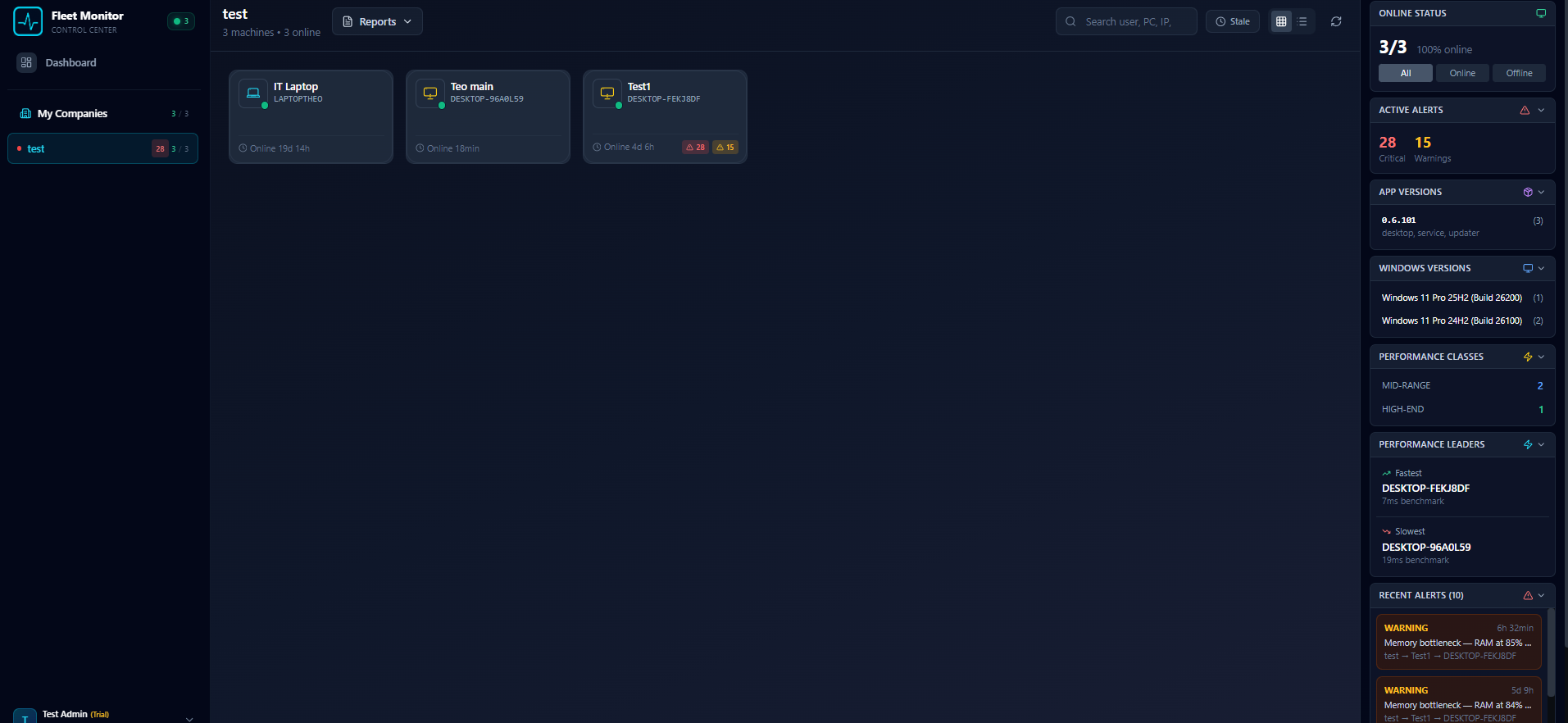
Real-Time Fleet Dashboard
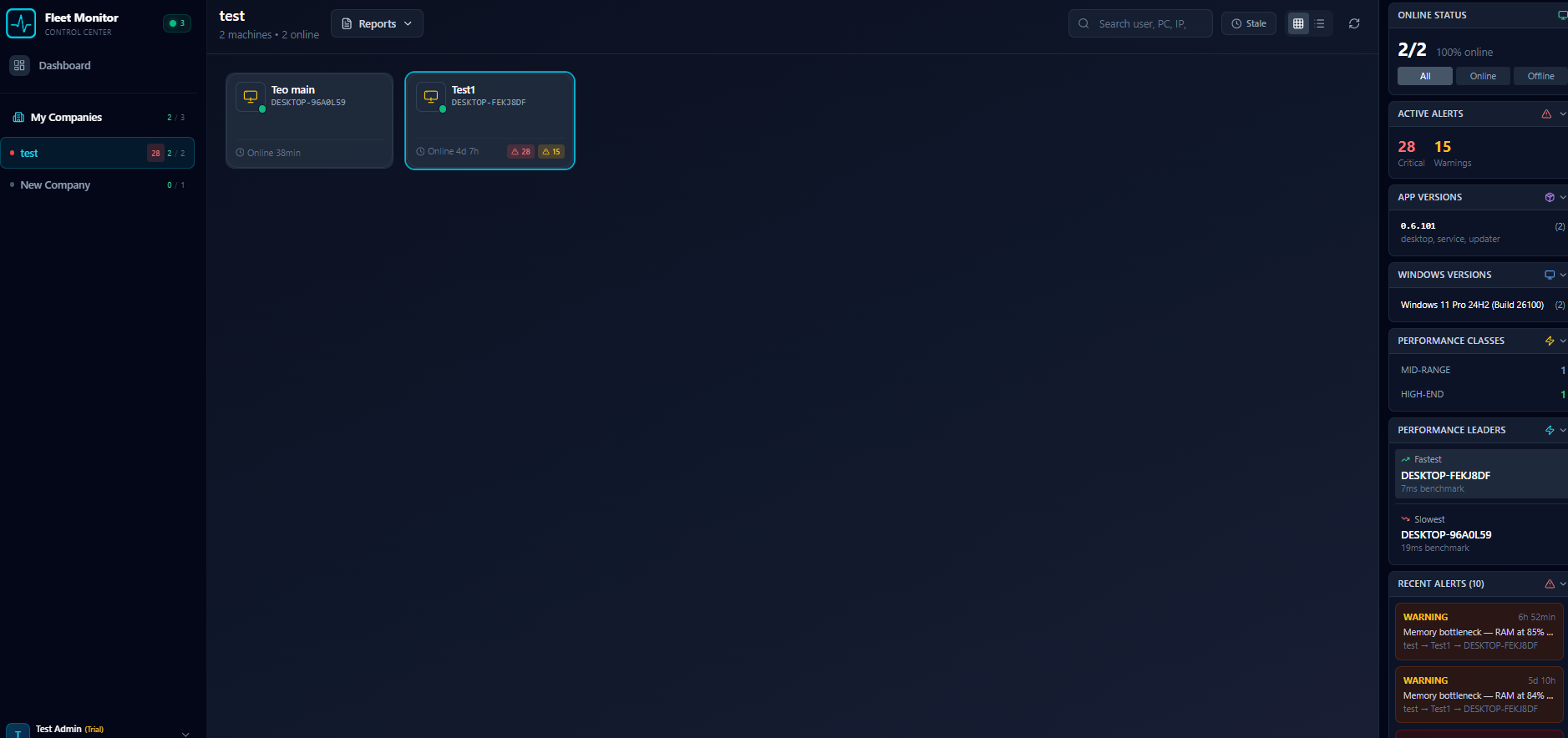
See every PC at a glance. Online/offline status, alert counts, app versions, Windows versions, and performance classes — all updating in real time. The intelligence sidebar shows active alerts, performance leaders (fastest and slowest machines), and recent alert history.
- Live online/offline status with pulsing indicators
- Alert badges (critical/warning) per machine
- Intelligence sidebar: online status, app versions, Windows versions
- Performance classes and leaders at a glance
- Multi-company fleet aggregation
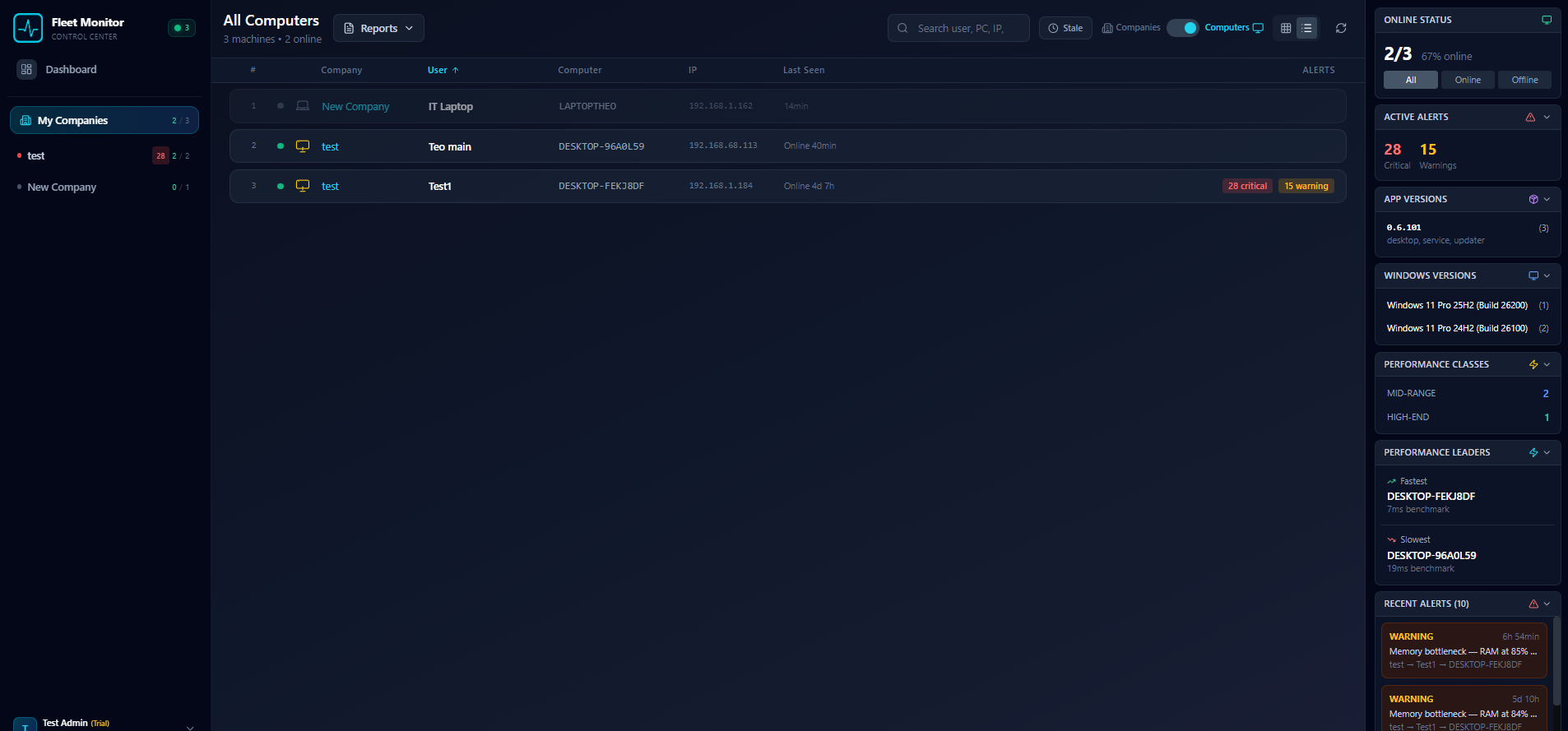
Find Any Machine Instantly
Switch to list view for a sortable table with company, user, computer name, IP address, last seen time, and alert counts. The smart search bar filters across users, PC names, and IPs in real time. Toggle between All, Online, and Offline machines with one click.
- Sortable columns: company, user, computer, IP, last seen
- Smart search across users, PCs, and IP addresses
- One-click Online / Offline / All filter toggle
- Switch between grid and list views anytime
- Companies / Computers toggle for different perspectives
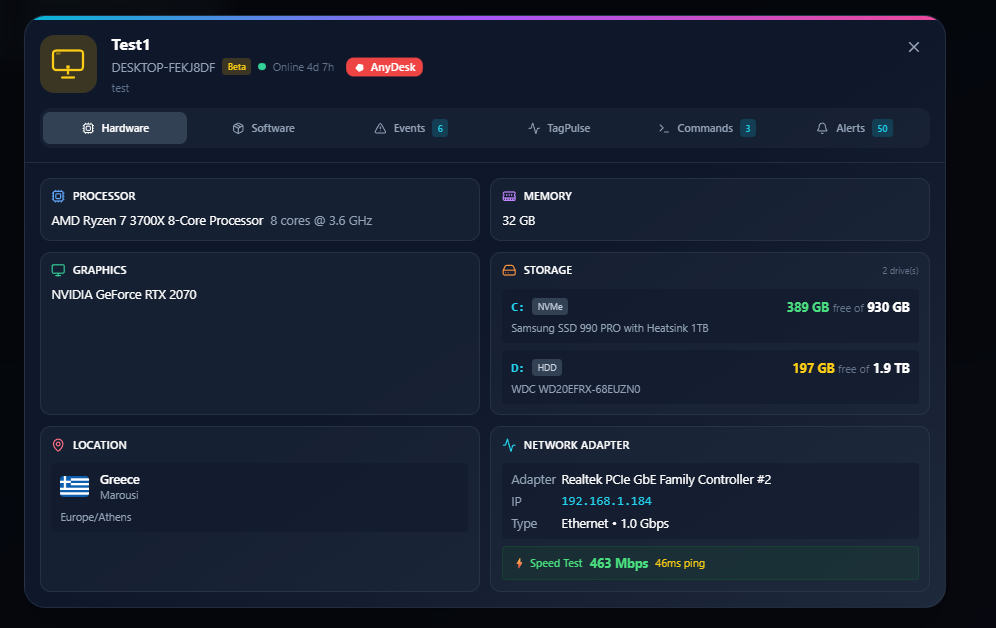
One-Click Remote Support
Built-in AnyDesk integration lets you initiate a remote support session straight from the machine detail panel. AnyDesk must be installed on both machines. The user on the remote PC receives an invitation and must accept before you connect — just like standard AnyDesk. No need to ask for IDs or switch apps.
- AnyDesk ID auto-stored per machine
- Initiate session from the dashboard — user approves on their end
- Secure: connection only with user's consent
- Full hardware context before connecting (CPU, GPU, RAM, storage)
- See location, network speed, and online duration at a glance
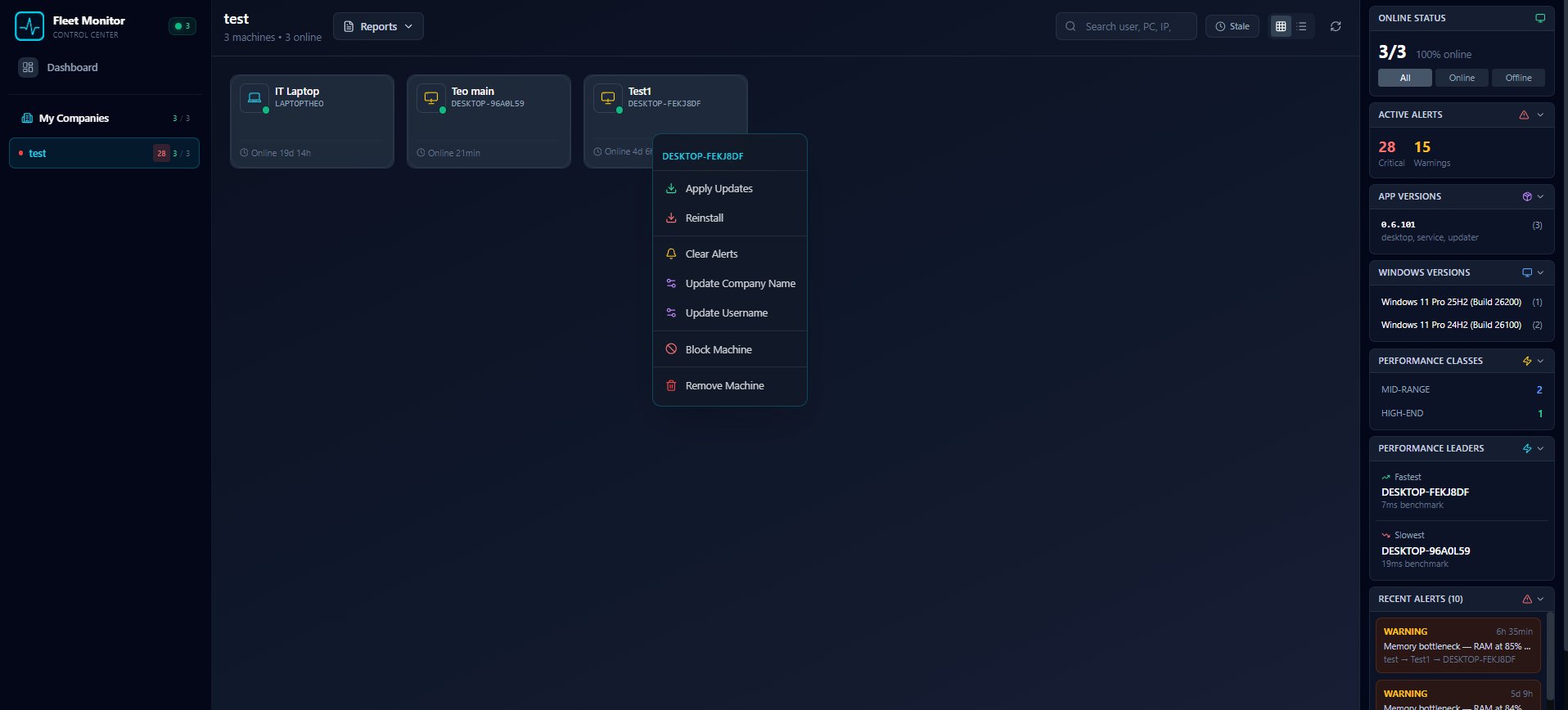
Control Your Fleet Remotely
Right-click any machine to execute commands instantly. Apply updates, reinstall TagPulse, clear alerts, update company names or usernames, block suspicious machines, or remove them entirely. Target individual machines, entire companies, or your whole fleet.
- Apply Updates, Reinstall, Clear Alerts
- Update Company Name and Username remotely
- Block Machine and Remove Machine for security
- Execution tracking (pending/success/failed)
- Command expiration (1hr to 30 days)
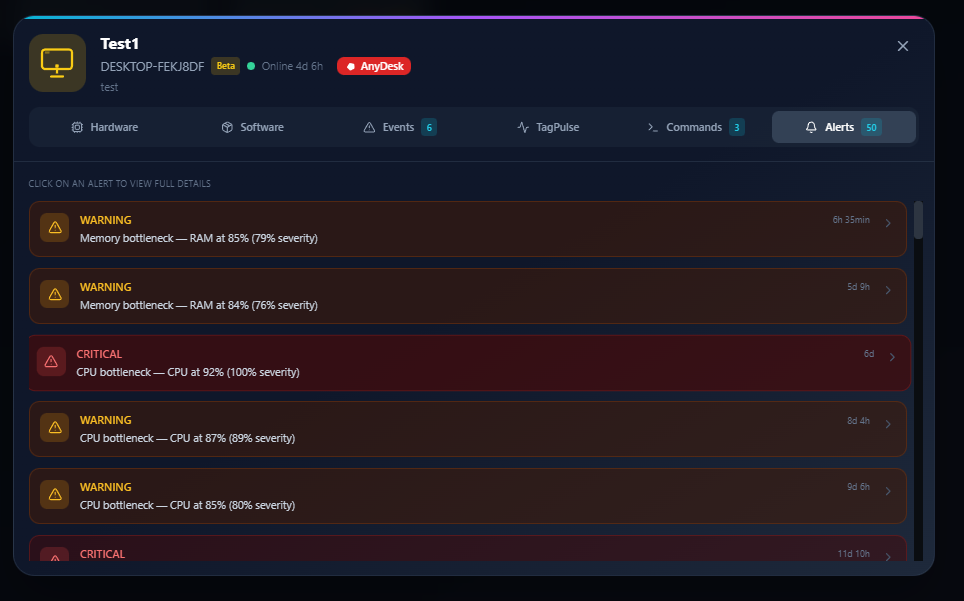
Alerts That Matter
Every machine has a dedicated Alerts tab showing its full alert history with severity levels and timestamps. Click any alert to see exactly what's happening — including the likely cause process. AI-powered bottleneck detection identifies CPU, memory, and GPU issues with severity percentages.
- Critical / Warning severity with color-coded timeline
- Alert detail: "What's happening" + "Likely cause" process
- Per-machine alert history with timestamps
- Process whitelisting (company or fleet-wide)
- Click-through from fleet dashboard to alert details
Complete Asset Inventory
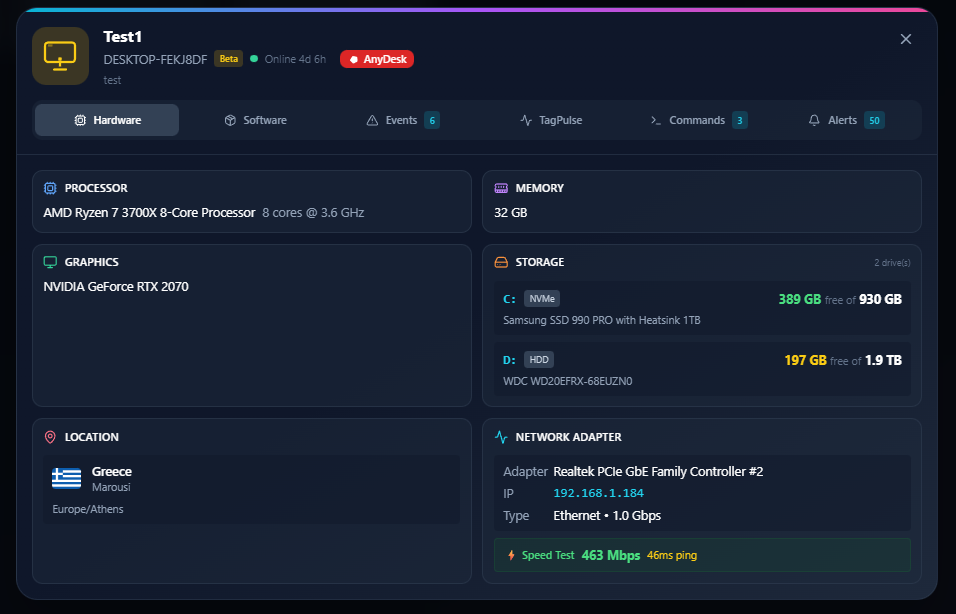
Full hardware specs for every machine — processor model, GPU, RAM, storage drives with NVMe/HDD labels and capacity, network adapter with speed test results, and geographic location. Track software versions, pending Windows updates, and reboot status across your fleet.
- CPU, GPU, RAM with exact model details
- Storage: NVMe/HDD labels, capacity, and free space
- Network adapter with built-in speed test (Mbps + ping)
- Geographic location with country flag and timezone
- Software tab with versions, install dates, and Windows updates
Remote Software Updates
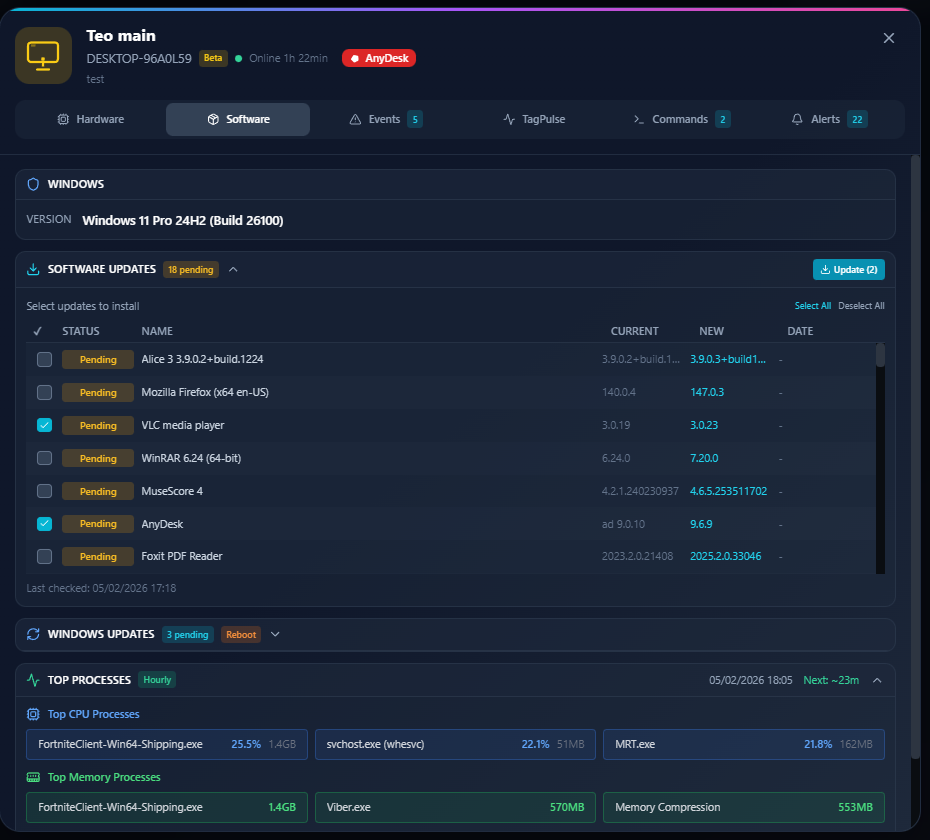
See every outdated application on every machine — with current and available version side by side. Select individual apps or all at once, then push updates remotely with one click. No need to walk to the machine or ask the user to do anything. TagPulse detects 18+ common applications automatically.
- Current vs. available version comparison per app
- Select individual apps or "Select All" for bulk updates
- One-click "Update" button — installs remotely
- Detects Firefox, VLC, WinRAR, AnyDesk, Foxit, and more
- Top CPU and memory processes visible alongside updates
Push Windows Updates Remotely
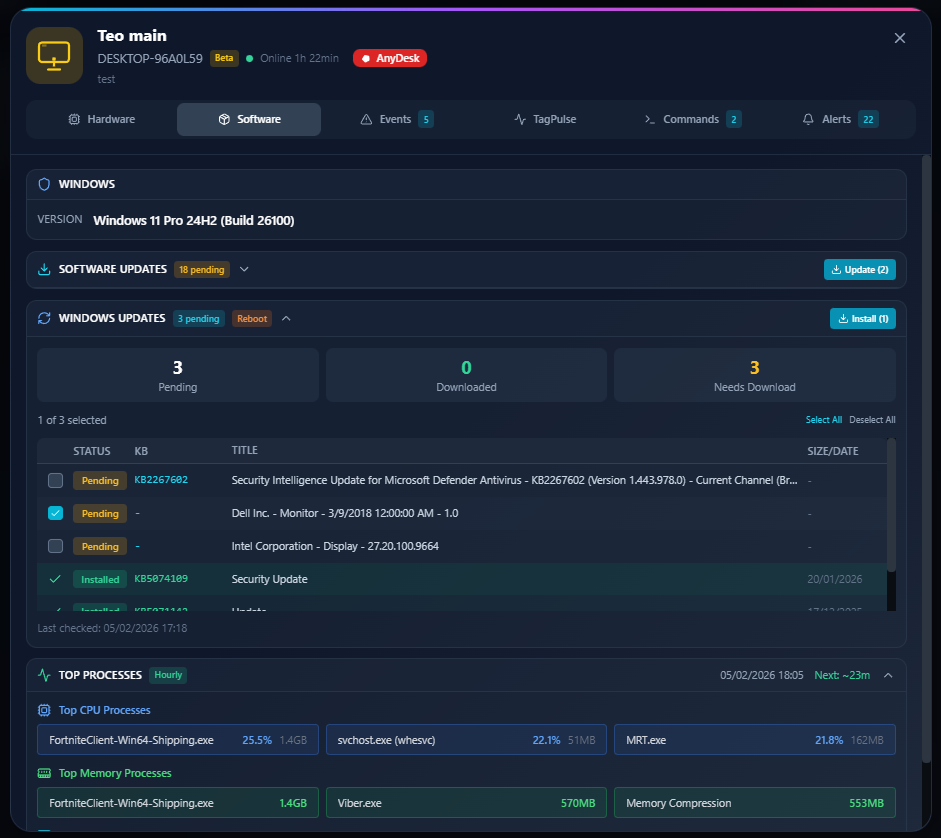
View pending Windows Updates with KB numbers, status, and descriptions for every machine. See how many updates are Pending, Downloaded, or Need Download at a glance. Select updates and trigger installation remotely — including security patches, driver updates, and feature updates. Track reboot requirements per machine.
- Pending / Downloaded / Needs Download status breakdown
- KB article numbers with full update descriptions
- One-click "Install" to push updates remotely
- Security, driver, and feature updates all in one place
- Reboot status tracking per machine
Remote Event Logs & Diagnostics
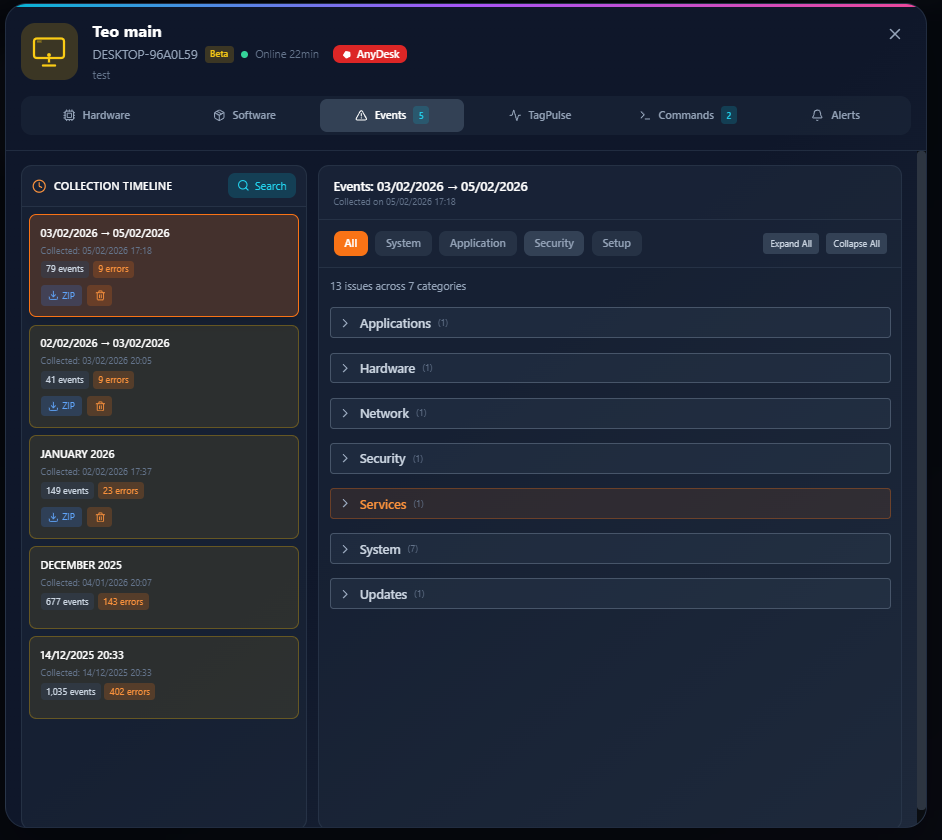
Collect Windows Event Logs remotely without ever touching the machine. Each collection shows a timeline with event counts and error counts, downloadable as ZIP. Events are categorized into Applications, Hardware, Network, Security, Services, System, and Updates — making root-cause diagnosis fast.
- Remote event log collection on demand
- Collection timeline with event/error counts per period
- 7 categories: Applications, Hardware, Network, Security, Services, System, Updates
- Filter by All, System, Application, Security, Setup
- Download event collections as ZIP for offline analysis
Custom Reports in Minutes
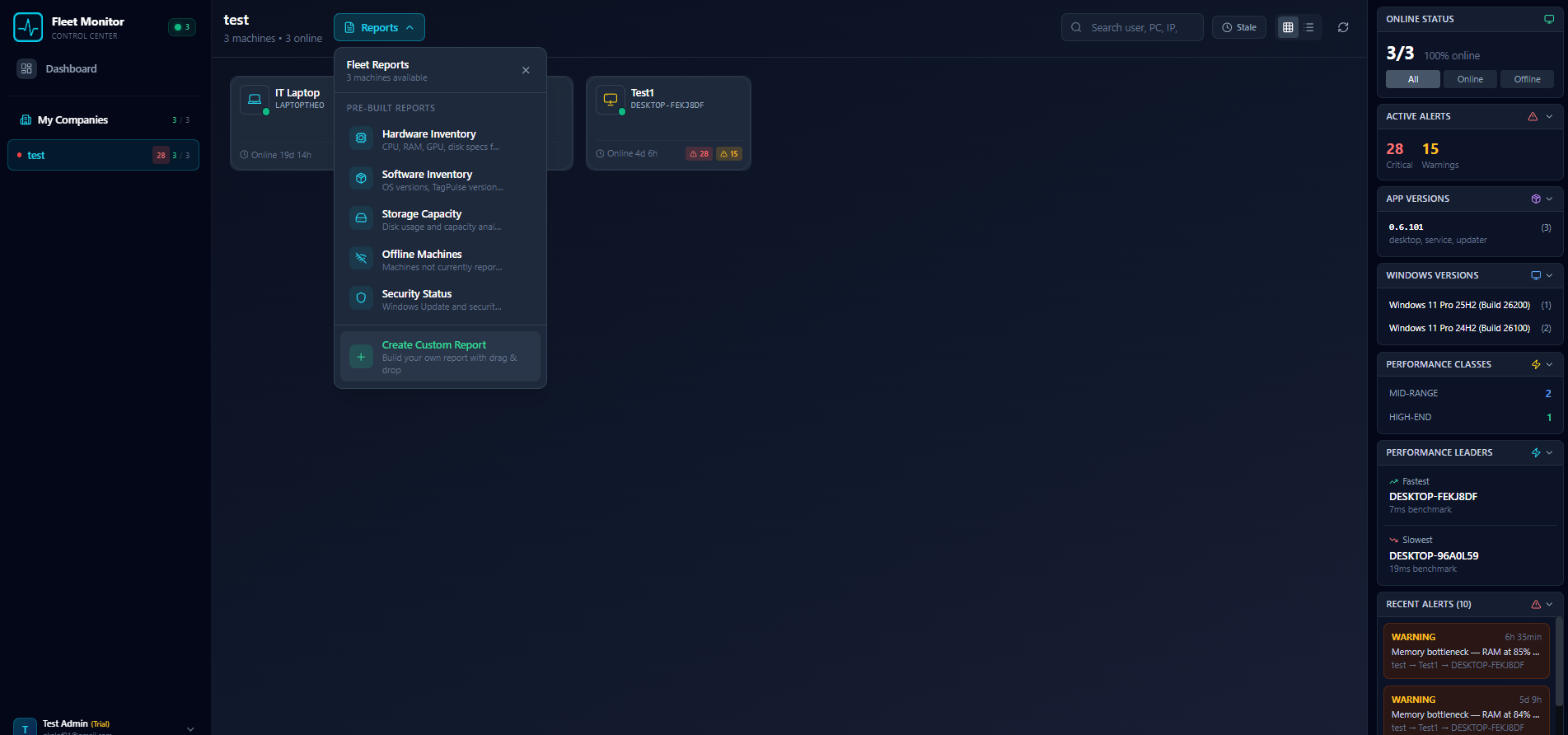
5 pre-built report templates — Hardware Inventory, Software Inventory, Storage Capacity, Offline Machines, and Security Status — plus a full drag-and-drop custom report builder. Export to PDF, Excel, or CSV. Generate reports for a single company or your entire fleet.
- 5 pre-built templates: Hardware, Software, Storage, Offline, Security
- Drag-and-drop custom report builder
- Export to PDF, Excel, CSV
- Column sorting, filtering, and grouping
- Print-ready layouts with margin controls
Performance Benchmarking
Instantly identify your fastest and slowest machines with built-in benchmark scoring. The intelligence sidebar ranks performance leaders with millisecond-precise benchmarks, and groups machines by performance class — High-End, Mid-Range, or Low-End. Know which machines need upgrades before users complain.
- Fastest and slowest machine ranking with benchmark scores
- Performance classes: High-End / Mid-Range / Low-End
- Per-company performance breakdown
- Identify upgrade candidates before they slow down
- Windows version tracking across your fleet
Built for MSPs & IT Teams
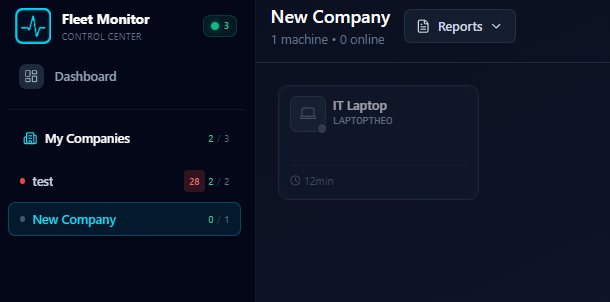
Manage multiple companies from one account. Each company gets its own machine group with independent alert counts and online/offline tracking. Create sub-admins with granular permissions, per-admin installer tokens, and machine quotas. Switch between companies or view the entire fleet with one click.
- Multi-company sidebar with per-company machine counts
- Sub-admin creation with role-based access
- Per-admin installer tokens and quotas
- Machine transfer between companies
- Offline machine tracking per company









Simple, transparent pricing
No hidden fees. No per-feature charges. Just straightforward pricing that scales with you.
Fleet Control Monthly
- Centralized web dashboard
- Real-time monitoring
- AI-powered alerts
- Email notifications
- Email support
Fleet Control Annual
- Everything in Fleet Control
- Save 25% annually
- Priority email support
- Locked-in pricing
Corporate
- Volume discounts
- Custom integrations
- Dedicated account manager
- SLA & priority support
- On-premise option
Ready to Take Control of Your Fleet?
Start with a free trial. No credit card required.